
zb888 App — Free Mobile Application
App — Play Anytime, Anywhere
Download the zb888 app on your Android phone and enjoy the full range of slots, live casino, Tai Xiu, and sports betting all in one place. The APK file is compact, takes under two minutes to install, and is completely free.
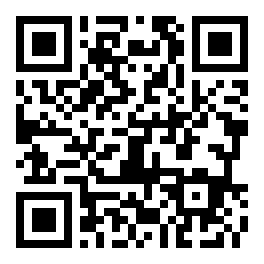
Is the APK File Safe?
Many players ask about safety when downloading an APK outside Google Play. Here are four points explained clearly so you can install with confidence.
Full Encryption on Every Connection
All data travelling between the zb888 App and the server is protected with TLS 1.3. Account details, passwords and deposit/withdrawal transactions are never sent in plain text. You can check the SSL certificate yourself in your browser when you visit zb888.vu.
Only the Permissions We Need
The App asks for just three permissions: network access (to reach the game lobby), storage (to write temporary config files) and push notifications (for promo updates). We do not request camera, contacts or GPS — if it isn't needed, we don't ask.
The Only Official Download Source
The genuine zb888 APK is released only on the zb888.vu domain — the very page you are on. Do not download from unknown sites, unsourced Telegram links or third-party APK stores. Before installing, check the file details: the correct name zb888.apk and the correct size 45 MB means you are safe.
Regular Patch Updates
Our technical team ships updates on a regular schedule to patch security holes and add features. The App notifies you when a new version is out — just download the APK again from this page and install it over the old one. All your data and account balance stay exactly as they were after upgrading.
Compare the App and the Web Version
Not sure whether to use the App or open a browser? The table below lists every difference in detail so you can pick the way of playing that suits you best.
| Criteria | zb888 App (Android) | Web Browser |
|---|---|---|
| Game lobby load speed | Faster, local cache | Depends on your connection |
| Promo push notifications | Yes, in real time | — None |
| Playing on a shaky connection | Tuned for low bandwidth | Drops out easily |
| Quick login | Session saved, fingerprint/PIN | Retype it every time |
| Setup required | Download a 45 MB APK, allow unknown sources | No install needed |
| iOS (iPhone) support | — Use the PWA added to your home screen | Fully works on Safari |
| Deposit/withdraw via MoMo, ZaloPay | Built into the App | Fully supported |
| Games on display | All > 2,000 games | All > 2,000 games |
| Getting new versions | Download the APK manually | Automatic on every launch |
| Cost to use | Free | Free |
Version Info & System Requirements
Before downloading, check that your phone meets the requirements below so the App runs smoothly.
Download the zb888 App
Official APK file, no login needed to download. Once installed, log in or create a new account to start playing right away.
Download APK — FreeFile name: zb888.apk · Size: 45 MB · Version: 3.3.16
| Current version | 3.3.16 |
|---|---|
| File size | 45 MB |
| Minimum Android OS | Android 7.0 (Nougat) |
| Last updated | 21/11/2026 |
| Download & install cost | Free |
| Interface languages | Vietnamese, English |
| Platforms supported | Android (APK); iOS via PWA in the Safari browser |
| Integrated game providers | CQ9, Evolution, PG Soft, Playtech, Spribe, JDB, Red Tiger |
| Payment Methods | MoMo, ZaloPay, VNPay, Bank Transfer |
Install zb888 APK on Android — 5 Steps
Android blocks APKs from outside the Play Store by default. Just follow the steps below in order — the whole process takes about two minutes.
-
01
Allow Installation from Unknown Sources
Go to Settings → Security (or App Settings → Unknown Sources, depending on your device) and enable "Allow installation of apps from unknown sources". On Android 8.0 and above, you only need to grant this permission to the browser you're using to download the file — no need to turn it on system-wide. This is safe as long as you download directly from zb888.vu.
-
02
Download the APK File to Your Phone
Tap "Download APK Now" on this page. Your browser will start downloading zb888.apk (45 MB) to your phone's Downloads folder. On a standard 4G connection, the download usually finishes in under 30 seconds. Keep your screen on while downloading to avoid interruptions that would force you to start over.
-
03
Open the APK File and Confirm Installation
Once the download is complete, tap the notification or open your File Manager → Downloads and select zb888.apk. An app preview screen will appear — tap "Install". If a warning about unknown sources pops up, tap "Install Anyway" to continue — this is a standard Android prompt, not an error.
-
04
Wait for Installation to Finish
Installation takes around 10–20 seconds. The progress bar will reach 100% and show an "App installed" message. The zb888 icon will appear on your home screen or in your full app list right away. At this point you can delete the original zb888.apk file to free up storage.
-
05
Open the App and Log In to Your Account
Tap the zb888 icon to launch the app. Select "Log In" if you already have an account, or "Register" to create a new one right inside the app — it only takes two minutes. Once you're in the lobby, you can deposit via MoMo, ZaloPay, VNPay and start playing straight away. Check the login guide if you need help.
iPhone Users — Add to Home Screen
Apple doesn't support APK installs, but you can still enjoy the full experience through Safari by adding zb888.vu to your home screen as a PWA app.
-
1
Open Safari and Go to zb888.vu
Use Safari only — Chrome on iOS doesn't support the "Add to Home Screen" feature. Type zb888.vu into the address bar and load the page.
-
2
Tap the Share Icon
In Safari's bottom toolbar, tap the box-with-arrow icon (the Share button). A share options sheet will slide up from the bottom.
-
3
Select "Add to Home Screen"
Scroll down in the options list and tap "Add to Home Screen". Name it zb888, then tap "Add" in the top-right corner.
-
4
Open the App from Your Home Screen
The zb888 icon will appear on your home screen. Tap it to open — the interface runs in full screen with no address bar, just like a native app. All features including login, deposit/withdrawal, and games work normally.
Everything You Need the Moment You Open zb888
The app brings the entire gaming lobby into one clean interface — no browser needed, no switching tabs.
Multi-Provider Jackpot Slots
Over 2,000 slot games from PG Soft, CQ9, Red Tiger, JDB, and Playtech. Filter by RTP, provider, and minimum bet right inside the app — find your favourite game in just a few taps. Minimum bet starts from 1,000 ₫.
Live Casino With Real Dealers
HD streaming from Evolution and PG Soft studios: Baccarat, Roulette, Auto Roulette, and Blackjack with real dealers. Stable connection, low latency — the App keeps your session going even when your network fluctuates slightly.
Crash Game & Spaceman
Spaceman (JDB), an Aviator-style crash game with a multiplier that climbs in real time. Cash out anytime before the plane disappears. Runs especially smooth on the App — bets start from 5,000 ₫.
Tai Xiu & Xoc Dia
Vietnamese-style Tai Xiu and Xoc Dia tables, bets from 70,000 ₫. Get push notifications when a new table opens or a daily bonus drops — an App-exclusive feature not available on the web browser. See the Tai Xiu guide.
Deposit & Withdraw Right in the App
Deposit via MoMo, ZaloPay, VNPay, or bank transfer (Vietcombank, MB Bank, Techcombank, ACB) — processed in 6 minutes. Withdraw to your bank account or e-wallet in 9 minutes, minimum 210,000 ₫.
Vietnamese Support 24/7
Vietnamese live chat is built right into the App — no need to open a browser or look up a phone number. The support team responds within minutes for both technical issues and transactions. Available around the clock, including public holidays.
Top Games You Can Play Right on the App
Here are some of the most popular games on zb888, all running smoothly on the Android App.
 RTP 96.8%
 RTP 95.4%

Installation Error? Check This Table First
Most APK installation errors have a clear cause and a simple fix. If you can't find your issue here, reach out to live chat 24/7.
| Issue | Common cause | How to fix it |
|---|---|---|
| "Installation not allowed" alert | The option to allow installs from unknown sources hasn't been enabled in your phone settings. | Go to Settings → Security → Unknown Sources, enable it for the browser you used to download the APK, then reinstall. |
| Downloaded file is corrupted or won't open | The network connection was interrupted during the download, leaving the APK file incomplete. | Delete the old file, connect to a stable Wi-Fi network, and re-download from this page. Check the file size after downloading: exactly 45 MB means it's complete. |
| App installed but won't open | Your phone's Android version is below 7.0, or internal storage has less than 100 MB free. | Check your Android version at Settings → About. If it's below 7.0, use the web browser instead. If the version is fine, free up some storage and try again. |
| App opens but shows a white screen or freezes | Leftover cache from a previous installation, or the network was too weak when loading initial data. | Go to Settings → Apps → zb888 → Clear Cache, then reopen the app. If the issue persists, uninstall, download a fresh APK, and reinstall. |
| Can't log in after installation | Wrong username or password entered, or the account's email hasn't been verified. | Double-check your email and password. Use the "Forgot Password" feature in the App. If your account is locked, contact live chat to get it unlocked within minutes. See the login page. |
Common Questions About the zb888 App
001 Does the zb888 APK file contain viruses or malware?
The official APK at zb888.vu is regularly scanned and contains no malware, spyware, or adware. If your phone's antivirus shows a warning, it's typically a generic alert for any APK installed outside the Play Store (a heuristic warning) — not an actual threat detection. You can download the file to your computer and run it through VirusTotal before transferring it to your phone for extra peace of mind. The key thing is to only download from zb888.vu — never from Telegram links or unknown sites.
002 Does the zb888 App support iPhone and iPad?
The zb888 APK runs on Android only. For iPhone and iPad, open Safari and go to zb888.vu, then follow the "Add to Home Screen" steps above — this creates a PWA icon on your home screen that opens in full-screen mode with full access to login, deposits, and all games. No file download or App Store needed. Performance on Safari iOS is solid for both live casino and slots.
003 How do I update the zb888 App to the latest version?
When a new version is available, the App will show a push notification or a banner in the lobby. Just visit this page, download the latest APK, and install it over your existing App — no need to uninstall first. Your account balance, transaction history, and personal settings are all kept intact. The current latest version is 3.3.16, updated on 21/11/2026.
004 After downloading the App, do I need to create a new account?
No new account needed. If you already have a zb888 account — whether you registered via the website or an older App — just open the App and log in with your existing details. Your balance, betting history, and VIP level all sync instantly. If you don't have an account yet, tap "Register" in the App — fill in your email, password, and phone number, and you're done in two minutes.
005 Does the App use a lot of mobile data?
Slots and Tai Xiu use around 10–20 MB per hour. Live casino streams HD video so it uses more — roughly 150–300 MB per hour depending on resolution. The App can automatically adjust stream quality on a weak connection to prevent lag. We recommend Wi-Fi for live casino; 4G works perfectly fine for slots and card games. You can also turn off autoplay to save extra data.
006 Can I turn off push notifications from the App?
Yes, you have full control. Go to App Settings → Notifications and choose which types you want: promotions, transaction updates, betting reminders. Or turn everything off via Phone Settings → Apps → zb888 → Notifications → Off. Keep in mind: disabling transaction notifications means you may miss deposit/withdrawal confirmations — we suggest only turning off promotional alerts if they feel like too much.
007 Are deposit and withdrawal minimums different on the App than on the web?
No difference. Whether you play through the App or a web browser, the minimum deposit is 70,000 ₫ and the minimum withdrawal is 210,000 ₫. Deposits are processed in 6 minutes, withdrawals in 9 minutes. Your maximum daily withdrawal depends on your VIP level. See the withdrawal guide or the bonus & VIP page for details.
Download the App, register and make your first deposit — get a 220% bonus up to 2,888,000 ₫ right away. A deposit of just 70,000 ₫ qualifies.